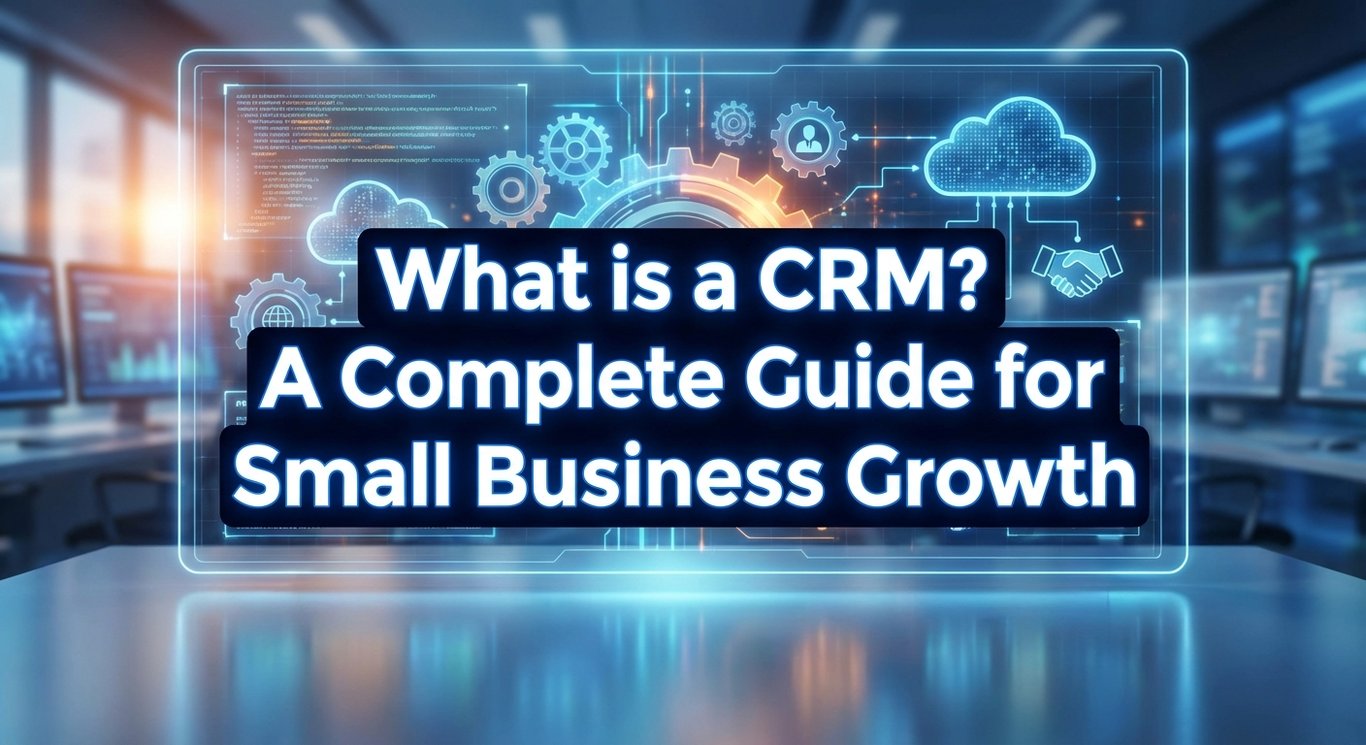
What is CRM?
Customer Relationship Management (CRM) software is a powerful technology designed to help businesses organize and manage their interactions with current and potential customers. At its core, a CRM system acts as a centralized hub where you can store customer contact information, track every interaction, and streamline various business processes. Instead of relying on scattered sticky notes or messy spreadsheets, a CRM brings everything together in one secure location. This centralization is the first step toward building stronger, more profitable relationships with your clients.
Beyond just storing names and numbers, modern CRM platforms include essential features like sales pipeline management, communication tracking, and automation tools. These components allow you to see exactly where a customer is in their buying journey, from the moment they first contact you to the final sale and beyond. For example, the software can automatically log emails, schedule follow-up reminders, and even categorize customers based on their interests. By combining these features, a CRM transforms raw data into an organized system that keeps your business running smoothly.
While a basic contact list simply tells you who your customers are, a CRM differentiates itself by providing actionable insights that drive business growth. It analyzes the data you collect to reveal patterns, such as which marketing strategies are working or which customers are ready to buy again. This shifts your focus from merely reacting to customer calls to proactively managing the relationship to increase satisfaction and sales. Ultimately, moving from a static list to a dynamic CRM is a game-changer for any small business looking to scale.
Why Small Businesses Need CRM for Growth
Small businesses often operate with limited resources and small teams, making efficiency absolutely critical for survival and growth. Without a proper system, valuable time is wasted searching through email inboxes or trying to remember who needs a follow-up call. A CRM solves this by automating repetitive tasks and ensuring that every team member has instant access to the same up-to-date information. Consequently, this allows your staff to focus their energy on high-value activities, like closing deals and serving customers, rather than getting bogged down in administrative chaos.
Furthermore, using a CRM helps level the playing field against larger competitors who have bigger budgets and more staff. By leveraging data-driven insights, a small business can offer the same high level of personalized service that customers expect from major brands. You can track trends, forecast sales, and make smarter decisions based on facts rather than guesswork. In short, a CRM gives small businesses the professional edge needed to compete and win in a crowded market. 🚀
Key Benefits of CRM for Small Businesses
Improved Customer Service
One of the biggest advantages of a CRM is the ability to access a customer's entire history with just a few clicks. When a client calls with a question or an issue, your team can immediately see previous purchases, past conversations, and any pending support tickets. This eliminates the frustration of customers having to repeat themselves and allows your team to resolve issues much faster. As a result, your business builds a reputation for being responsive and reliable.
In addition to speed, having centralized data allows for a much more personalized customer experience. You can easily track small details, such as a client's preferred communication method or their birthday, to make interactions feel special and tailored to them. When customers feel known and valued, their satisfaction levels skyrocket. Therefore, a CRM is not just an organizational tool, but a direct driver of happier customers.
Increased Sales and Lead Management
A CRM provides a clear visual representation of your sales pipeline, helping you track exactly where every deal stands at any given moment. You can see which leads are new, which ones are in negotiation, and which are ready to close, ensuring that no opportunity slips through the cracks. This visibility allows sales teams to prioritize their efforts on the hottest prospects. By organizing the sales process, you can move deals forward more consistently and predictably.
"Customer relationship management (CRM) software has become a near-vital tool for businesses of all sizes. CRM software can provide several benefits to any business, from organizing contacts to automating key tasks." -Business News Daily
Moreover, CRM software significantly improves lead generation and conversion rates by nurturing potential customers automatically. You can set up the system to send targeted emails or reminders to leads who haven't engaged in a while, keeping your business top-of-mind without manual effort. This consistent follow-up is often the difference between losing a lead and gaining a new customer. effectively, the software works in the background to turn "maybes" into "yeses." 📈
Finally, the data insights provided by a CRM uncover excellent opportunities for upselling and cross-selling to your existing client base. By analyzing purchase history, you can identify customers who might benefit from a premium upgrade or a complementary product. Instead of making random sales pitches, you can make relevant suggestions that actually add value to the customer. This strategy not only boosts revenue but also deepens the customer's trust in your brand.
Better Efficiency and Automation
Efficiency is boosted significantly through the automation of mundane, day-to-day tasks that usually eat up a lot of time. A good CRM can automatically handle data entry, send welcome emails, assign tasks to team members, and update records after a phone call. This means your team spends less time on busy work and more time on work that actually generates income. Automation acts like an extra employee who never sleeps and never complains.
Additionally, relying on a CRM reduces the risk of human error that often occurs with manual data entry. When information is automatically synced across the system, you don't have to worry about typos, duplicate entries, or lost sticky notes. This accuracy ensures that your reports are reliable and that you aren't making business decisions based on bad data. Ultimately, a streamlined workflow saves both time and money.
Enhanced Customer Retention and Loyalty
Retaining an existing customer is far cheaper than acquiring a new one, and a CRM helps you understand your customers' behaviors and preferences to keep them engaged. The system can alert you when a customer hasn't purchased in a while or if a subscription is about to expire, prompting you to reach out. By anticipating their needs before they even ask, you prove that you value their business. This proactive approach is the key to building long-term relationships.
"With a CRM system, you can address issues more quickly and effectively, leading to better customer support. That’s because customers won’t have to repeat their stories over and over each time they contact your company." -Oregon SBDC
Consequently, this high level of engagement fosters deep loyalty, leading to repeat business and glowing referrals. Loyal customers are more likely to forgive minor mistakes and are often the biggest advocates for your brand to their friends and family. A CRM helps you nurture these relationships systematically, turning one-time buyers into lifelong fans. 🤝
How to Choose the Right CRM for Your Small Business
When selecting a CRM, the most important features to look for are ease of use, essential integrations, and scalability. If the software is too complicated, your team will likely resist using it, defeating the purpose of having it in the first place. You also want to ensure it connects easily with the tools you already use, like your email provider or accounting software. Choosing a user-friendly platform ensures a smooth transition and quick adoption.
Pricing is another critical factor, and models can range widely from completely free versions to expensive enterprise subscriptions. Many CRM providers offer tiered pricing, allowing you to start with a basic, affordable plan and upgrade as your business grows. It is important to look at the total cost of ownership, including any hidden fees for onboarding or extra users. By comparing these models, you can find a solution that fits your current budget.
Finally, you must evaluate the CRM based on your specific business size and unique industry needs. A freelance photographer needs different features than a retail store or a consulting firm with ten employees. Don't just pick the most popular option; pick the one that aligns with your specific workflow and goals. Making an informed choice now prevents the headache of switching systems later.
Top CRM Software Options for Small Businesses
There are several excellent CRM options on the market today that are specifically tailored for small businesses, including HubSpot, Zoho, and Capsule. HubSpot is famous for its user-friendly interface and powerful marketing tools, making it a favorite for beginners. Zoho offers a highly customizable suite of apps that can run your entire business, while Capsule is known for being straightforward and easy to manage. Each of these platforms brings something unique to the table depending on your needs.
"The productivity gains from using a CRM system are significant. By reducing the time spent on repetitive tasks, you can operate more efficiently, which translates to cost savings." -Capsule CRM
Most of these providers offer generous free tiers or growth-friendly plans that allow you to test the waters without a financial commitment. For example, HubSpot's free CRM is robust enough for many startups to use indefinitely, while others offer low-cost entry points. These flexible options mean that even the smallest budget can accommodate professional-grade software. This accessibility ensures that cost is no longer a barrier to organization.

Implementing CRM: Step-by-Step Guide
The first step in implementing a CRM is setting up the system and migrating your existing data carefully. You should take time to "clean" your data by removing duplicates and outdated contacts before importing them into the new software. This setup phase also involves configuring your sales pipelines and custom fields to match how your business actually operates. A clean start is essential for the system to work effectively.
Once the system is ready, training your team members and establishing best practices is crucial for success. Everyone needs to understand not just how to use the software, but why it benefits them personally in their daily work. Regular training sessions and creating a simple "how-to" guide can help overcome resistance and build confidence. When the whole team buys in, the CRM becomes a powerful asset.
Finally, you need to measure the success of your implementation by tracking Key Performance Indicators (KPIs). Look at metrics like user adoption rates, the number of leads generated, or the time saved on administrative tasks. Reviewing these numbers regularly helps you identify what is working and where you might need to adjust your strategy. Continuous monitoring ensures you get the maximum return on your investment.
Common CRM Challenges and Solutions
One of the most common challenges businesses face is resistance to adoption and the tedious nature of data entry. Employees often view a new CRM as "just another thing to do" and may revert to their old habits of using spreadsheets or notebooks. Additionally, if the system is not intuitive, data entry can become inconsistent, leading to messy records. Acknowledging these pain points early is the first step to solving them.
"Remember, you can get started with a basic CRM for free and scale up as your business needs grow." -Oregon SBDC
To overcome these hurdles, the best solution is to provide comprehensive training and choose tools that are genuinely user-friendly. Gamifying the process or offering incentives for proper CRM use can also motivate the team to get on board. Furthermore, utilizing mobile apps that allow staff to update records on the go can make data entry feel less like a chore. Making the system easy and rewarding is the key to long-term success. 🏆
CRM Integration with Other Business Tools
Integrating your CRM with other business tools like email, marketing platforms, and accounting software creates a unified ecosystem for your data. For instance, when your CRM talks to your email marketing tool, you can automatically add new leads to a newsletter list without lifting a finger. This connectivity eliminates data silos where information gets trapped in one department. A fully integrated system ensures everyone is on the same page.
Imagine a seamless workflow where a customer purchases a product on your website, the invoice is generated in your accounting software, and a thank-you note is triggered from your CRM simultaneously. These integrations save hours of manual cross-referencing and reduce the chance of dropping the ball. By connecting your tools, you create a smoother experience for both your team and your customers. This is efficiency at its finest.

Measuring CRM ROI for Small Business Growth
To understand if your CRM is worth the investment, you need to track key metrics such as sales growth, customer retention rates, and efficiency gains. If your sales team is closing deals faster or your customer churn rate has dropped since implementing the software, you are seeing a positive Return on Investment (ROI). It is also worth calculating the monetary value of the time saved by automating manual tasks. These concrete numbers prove the system's value.
Fortunately, most modern CRMs come with built-in analytics tools that make tracking and optimizing performance easy. You can generate reports to see which sales reps are performing best or which marketing channels are bringing in the most valuable leads. By using these insights to tweak your processes, you can continuously improve your bottom line. Data is the fuel for ongoing business optimization.
FAQ
What is the difference between CRM and sales software?
While sales software focuses specifically on the transaction and closing deals, a CRM has a much broader focus on the entire relationship. CRM manages the customer journey before, during, and long after the sale, including support and marketing, whereas sales tools are often limited to the pipeline.
Is CRM necessary for very small businesses with under 10 employees?
Yes, absolutely! Even very small teams benefit immensely from the organization and automation a CRM provides. It prevents knowledge loss when an employee leaves and ensures that the business looks professional and organized to every customer.
How much does CRM software cost for small businesses?
CRM costs can range from completely free for basic versions to around $12 to $50 per user per month for more advanced features. Most platforms are scalable, meaning you can start with a low-cost plan and only pay more as your business grows.
Can CRM help with marketing automation?
Yes, most CRMs have marketing features that allow you to segment your customers and run automated email campaigns. This helps in nurturing leads and keeping your current customers engaged without you having to send individual emails manually.
How long does it take to see results from CRM?
Typically, businesses start seeing organizational benefits immediately, but tangible financial results usually appear within 1 to 3 months. With proper implementation and team consistency, the ROI becomes very clear within the first quarter.
Conclusion
In summary, a CRM is much more than just a digital address book; it is a vital engine for small business growth. By centralizing your data, automating repetitive tasks, and providing deep insights into customer behavior, a CRM allows you to operate with the efficiency of a much larger company. It shifts your focus from managing chaos to building meaningful relationships, ensuring that every customer feels valued and understood. The benefits of improved organization and customer focus are immediate and long-lasting.
The key takeaways are clear: implementing a CRM drives sales, boosts customer retention, and provides the scalability needed for future expansion. It levels the playing field, allowing small businesses to compete effectively by making data-driven decisions. The best approach is to start simple with a user-friendly platform and scale up your features as your team becomes more comfortable. Consistency is the secret ingredient to making the software work for you.
Don't let another lead slip through the cracks or waste another hour on manual data entry. Choose a CRM today to unlock your small business's true growth potential. Take the time to evaluate options, sign up for a free trial, and implement a system that will deliver immediate improvements in your customer relationships and revenue. Your future self (and your bank account) will thank you! 🌟